
John M.Blain
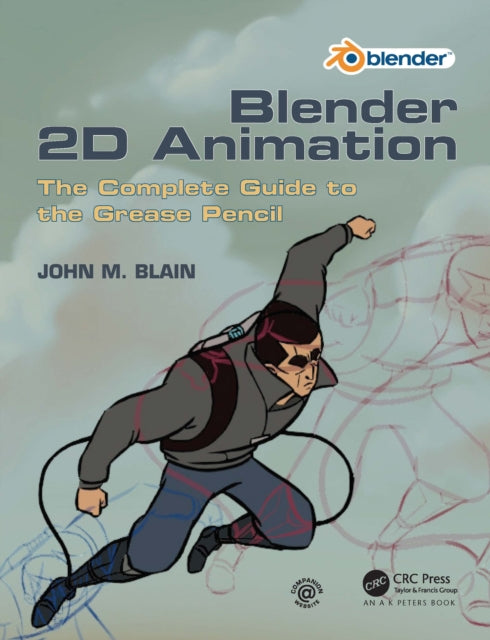
Blender 2D Animation: The Complete Guide to the Grease Pencil
Blender 2D Animation: The Complete Guide to the Grease Pencil
💎 Earn 206 Points (£2.06) on this item.
YOU SAVE £3.60
- Condition: Brand new
- UK Delivery times: Usually arrives within 2 - 3 working days
- UK Shipping: Fee starts at £2.39. Subject to product weight & dimension
Bulk ordering. Want 15 or more copies? Get a personalised quote and bigger discounts. Learn more about bulk orders.
Couldn't load pickup availability
- More about Blender 2D Animation: The Complete Guide to the Grease Pencil
This book is a beginner's guide to using the Grease Pencil component in Blender for 2D animation. It assumes no prior knowledge of Blender and covers the basics of using Grease Pencil as a standalone application.
Format: Paperback / softback
Length: 218 pages
Publication date: 20 August 2021
Publisher: Taylor & Francis Ltd
This comprehensive guide provides an in-depth exploration of the Grease Pencil component within the Blender 3D environment, enabling users to create stunning 2D animations with ease. Designed for beginners with no prior knowledge of Blender, this book treats Grease Pencil as a standalone application, offering a step-by-step approach to mastering 2D animation techniques.
Starting from the basics, the guide delves into the functionalities of Grease Pencil, covering topics such as creating and editing shapes, adding textures, animating objects, and applying effects. Each chapter is concise and easy to understand, with cross-references to assist readers in navigating the program's Graphical User Interface (GUI).
Diagram illustrations accompany the written instructions, visually demonstrating the key steps and techniques involved in creating 2D animations. Whether you aspire to create animated characters, backgrounds, or interactive elements, this book offers a wealth of knowledge and practical guidance to help you achieve your goals.
In addition to its instructional value, this guide is also highly affordable, making it an excellent choice for individuals who are interested in exploring the world of 2D animation without breaking the bank. It is also available in a discounted set along with "The Complete Guide to Blender Graphics: Computer Modeling & Animation," providing a comprehensive learning experience for aspiring 3D artists and animators.
So, whether you are a complete beginner or looking to enhance your 2D animation skills, this guide is the perfect resource for you. Take the first step towards creating stunning 2D animations with Blender and Grease Pencil and unlock your creative potential.
Introduction:
Grease Pencil is a powerful tool within the Blender 3D environment that allows users to create stunning 2D animations effortlessly. Whether you are a beginner or an experienced 3D artist, this guide will provide you with the knowledge and skills necessary to master 2D animation using Grease Pencil.
What is Grease Pencil?:
Grease Pencil is a 2D animation tool that is integrated into Blender. It provides a user-friendly interface for creating and editing animations, allowing users to create complex animations with ease. Grease Pencil is designed to be used as a standalone application, meaning that it can be used without prior knowledge of Blender.
Benefits of Using Grease Pencil:
There are many benefits to using Grease Pencil for 2D animation. Firstly, it is a user-friendly tool that is easy to learn and use. It provides a wide range of features and tools that allow users to create detailed and complex animations quickly and efficiently. Additionally, Grease Pencil is highly customizable, allowing users to tailor their animations to their specific needs.
Getting Started with Grease Pencil:
To get started with Grease Pencil, you will need to download and install Blender. Once you have installed Blender, you can open it and select "File" > "New" > "Grease Pencil." This will create a new Grease Pencil document.
Creating Shapes:
To create shapes in Grease Pencil, you can use the various drawing tools available. These tools include the Pencil, Eraser, Brush, and Clone Stamp. Each tool has its own unique properties and can be used to create different types of shapes. For example, the Pencil tool can be used to create lines and curves, while the Brush tool can be used to create textures and patterns.
Adding Textures:
To add textures to your shapes, you can use the Texture Paint tool. This tool allows you to paint textures onto your shapes directly. You can choose from a wide range of textures, including images, textures, and materials. Additionally, you can adjust the texture properties, such as the scale, rotation, and offset, to achieve the desired effect.
Animating Objects:
To animate objects in Grease Pencil, you can use the Timeline tool. This tool allows you to create keyframes that define the movement and behavior of your objects. You can adjust the properties of each keyframe, such as the position, rotation, and scale, to create smooth and realistic animations.
Applying Effects:
To apply effects to your animations, you can use the Effects panel. This panel provides a wide range of effects that you can apply to your objects, including lighting, shading, and particle effects. You can adjust the properties of each effect to achieve the desired effect.
Conclusion:
Grease Pencil is a powerful tool that allows users to create stunning 2D animations within the Blender 3D environment. Whether you are a beginner or an experienced 3D artist, this guide will provide you with the knowledge and skills necessary to master 2D animation using Grease Pencil. By following the steps outlined in this guide, you will be able to create complex and professional-looking animations that will impress your audience.
Weight: 574g
Dimension: 193 x 234 x 16 (mm)
ISBN-13: 9781032110325
This item can be found in:
UK and International shipping information
UK and International shipping information
UK Delivery and returns information:
- Delivery within 2 - 3 days when ordering in the UK.
- Shipping fee for UK customers from £2.39. Fully tracked shipping service available.
- Returns policy: Return within 30 days of receipt for full refund.
International deliveries:
Shulph Ink now ships to Australia, Belgium, Canada, France, Germany, Ireland, Italy, India, Luxembourg Saudi Arabia, Singapore, Spain, Netherlands, New Zealand, United Arab Emirates, United States of America.
- Delivery times: within 5 - 10 days for international orders.
- Shipping fee: charges vary for overseas orders. Only tracked services are available for most international orders. Some countries have untracked shipping options.
- Customs charges: If ordering to addresses outside the United Kingdom, you may or may not incur additional customs and duties fees during local delivery.