
Wietse Venema
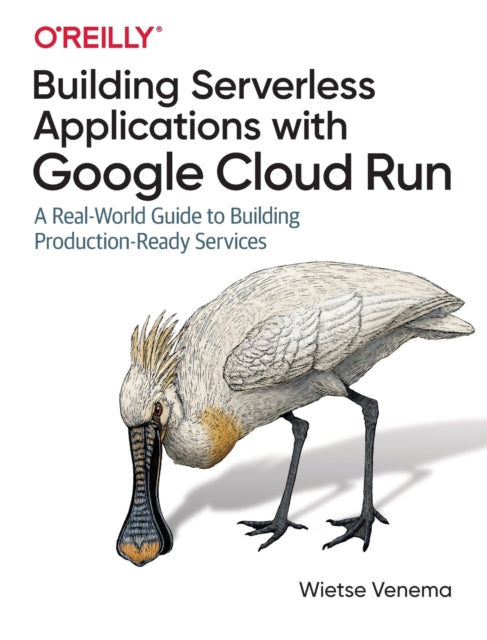
Building Serverless Applications with Google Cloud Run: A Real-World Guide to Building Production-Ready Services
Building Serverless Applications with Google Cloud Run: A Real-World Guide to Building Production-Ready Services
💎 Earn 187 Points (£1.87) on this item.
YOU SAVE £15.48
- Condition: Brand new
- UK Delivery times: Usually arrives within 2 - 3 working days
- UK Shipping: Fee starts at £3.89. Subject to product weight & dimension
Bulk ordering. Want 15 or more copies? Get a personalised quote and bigger discounts. Learn more about bulk orders.
Couldn't load pickup availability
- More about Building Serverless Applications with Google Cloud Run: A Real-World Guide to Building Production-Ready Services
This book provides a hands-on guide to building real-world serverless applications in the cloud with Google Cloud Run. It covers deploying example applications, containerization, database management, identity and access management, resource provisioning, and background task scheduling. It is suitable for developers of all levels, from beginners to experienced practitioners.
Format: Paperback / softback
Length: 250 pages
Publication date: 18 December 2020
Publisher: O'Reilly Media, Inc, USA
Are you ready to take your web application development to the next level? If you're experienced in building web applications on traditional infrastructure, this hands-on guide will show you how to get started with Google Cloud Run, a container-based serverless product.
Through the course of this book, you'll learn how to deploy several example applications that highlight different parts of the serverless stack on Google Cloud. Combining practical examples with fundamentals, this book will appeal to developers who are early in their learning journey as well as experienced practitioners.
Let's get started!
Building Containers with (and without) Docker
In this chapter, you'll learn how to build containers using both Docker and Cloud Build. You'll also explore the benefits of using Docker for containerization and how it can help you streamline your development process.
You'll start by creating a Dockerfile, which is a blueprint for building a Docker image. You'll then use the Docker CLI to build the image and push it to a Docker registry. Next, you'll use Cloud Build to create a container image from your Dockerfile and deploy it to Google Cloud Run.
You'll also learn how to use Docker Compose to create and manage multiple Docker containers. This can be useful for scaling your application and managing dependencies between containers.
Google Cloud's Managed Relational Database: Cloud SQL
In this chapter, you'll learn about Google Cloud's managed relational database: Cloud SQL. You'll see how to set up a Cloud SQL instance, create tables, and insert data into them. You'll also learn about the different types of queries you can perform on Cloud SQL and how to optimize them for performance.
You'll start by creating a Cloud SQL instance and configuring it to connect to your Google Cloud project. You'll then use the Cloud SQL CLI to create a database and a table. You'll then use SQL statements to insert data into the table and perform queries.
You'll also learn about the different security features of Cloud SQL, such as encryption and access control. This can help you ensure that your data is secure and protected.
Use HTTP Sessions to Make Every User's Experience Unique
In this chapter, you'll learn how to use HTTP sessions to make every user's experience unique. You'll see how to store session data in a database and retrieve it when a user visits your application. You'll also learn about the different types of session storage available and how to choose the one that best suits your needs.
You'll start by creating a database and a table to store session data. You'll then use the Express framework to set up a server that stores session data in the database. You'll then use the session middleware to store and retrieve session data.
You'll also learn about the different types of session storage available, such as cookies, Redis, and Memcached. You'll see how to use each of these storage options and how to configure them in your application.
Explore Identity and Access Management (IAM) on Cloud Run
In this chapter, you'll learn about Google Cloud's identity and access management (IAM) service: Cloud Run. You'll see how to create and manage IAM roles and policies to control access to your application. You'll also learn about the different types of IAM roles available, such as service accounts and user-managed identities.
You'll start by creating an IAM service account and granting it access to your Google Cloud project. You'll then use the IAM CLI to create an IAM role and a policy. You'll then use the IAM role to control access to your application.
You'll also learn about the different types of IAM policies available, such as resource-based policies and identity-based policies. You'll see how to use each of these policies and how to configure them in your application.
Provision Google Cloud Resources Using Terraform
In this chapter, you'll learn how to provision Google Cloud resources using Terraform. You'll see how to create and manage Terraform configurations to define your infrastructure. You'll also learn about the different types of resources available in Terraform, such as compute instances, storage buckets, and networks.
You'll start by creating a Terraform configuration file. You'll then use the Terraform CLI to apply the configuration to your Google Cloud project. You'll then use the Terraform console to monitor and manage your infrastructure.
You'll also learn about the different types of Terraform providers available, such as HashiCorp and AWS. You'll see how to use each of these providers and how to configure them in your Terraform configuration file.
Learn How to Handle Background Task Scheduling on Cloud Run
In this chapter, you'll learn how to handle background task scheduling on Cloud Run. You'll see how to use Cloud Scheduler to schedule tasks to run at specific times or intervals. You'll also learn about the different types of tasks available in Cloud Scheduler, such as cron jobs and HTTP triggers.
You'll start by creating a Cloud Scheduler job. You'll then use the Cloud Scheduler CLI to schedule the job to run at a specific time or interval. You'll then use the Cloud Scheduler console to monitor and manage your job.
You'll also learn about the different types of task configurations available, such as time-based schedules and event-based schedules. You'll see how to use each of these configurations and how to configure them in your Cloud Scheduler job.
Move Your Service from Cloud Run to Knative Serving with Little Effort
In this chapter, you'll learn how to move your service from Cloud Run to Knative Serving with little effort. You'll see how to use Knative Serving to build and deploy your service. You'll also learn about the different types of services available in Knative Serving, such as webhooks and eventing.
You'll start by creating a Knative service. You'll then use the Knative CLI to build and deploy your service. You'll then use the Knative console to monitor and manage your service.
You'll also learn about the different types of service configurations available, such as serving configurations and eventing configurations. You'll see how to use each of these configurations and how to configure them in your Knative service.
Conclusion
In conclusion, this hands-on guide has shown you how to get started with Google Cloud Run, a container-based serverless product. You've learned how to build containers using both Docker and Cloud Build, how to use Google Cloud's managed relational database: Cloud SQL, how to use HTTP sessions to make every user's experience unique, how to explore identity and access management (IAM) on Cloud Run, how to provision Google Cloud resources using Terraform, and how to handle background task scheduling on Cloud Run.
Now that you've learned the basics, you can start building your own serverless applications on Google Cloud. Remember to keep exploring and learning, and don't be afraid to experiment with new technologies and approaches.
That's it! You now have the knowledge and skills to build a real-world serverless application in the cloud that's reliable, secure, maintainable, and scalable. Happy coding!
Weight: 362g
Dimension: 431 x 236 x 17 (mm)
ISBN-13: 9781492057093
UK and International shipping information
UK and International shipping information
We deliver throughout the United Kingdom and to 128 countries and territories worldwide, including the United States, Australia, Canada, Germany, Spain and France.