
Nick Vandome
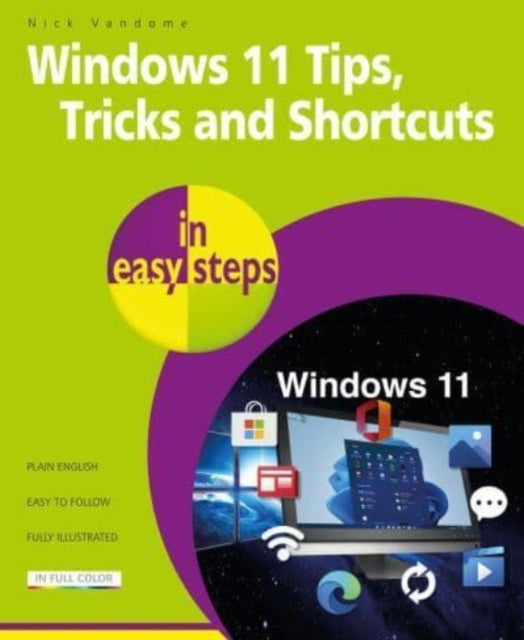
Windows 11 Tips, Tricks & Shortcuts in easy steps
Windows 11 Tips, Tricks & Shortcuts in easy steps
💎 Earn 42 Points (£0.42) on this item.
YOU SAVE £3.51
- Condition: Brand new
- UK Delivery times: Usually arrives within 2 - 3 working days
- UK Shipping: Fee starts at £2.39. Subject to product weight & dimension
Bulk ordering. Want 15 or more copies? Get a personalised quote and bigger discounts. Learn more about bulk orders.
Couldn't load pickup availability
- More about Windows 11 Tips, Tricks & Shortcuts in easy steps
Windows 11 Tips, Tricks & Shortcuts in easy steps provides over 1000 tips, tricks, and keyboard shortcuts to help you save time and use your Windows 11 PC more efficiently.
Format: Paperback / softback
Length: 216 pages
Publication date: 16 June 2023
Publisher: In Easy Steps Limited
Windows 11 Tips, Tricks, and Shortcuts in Easy Steps is a comprehensive guide that provides over 1000 tips, tricks, and keyboard shortcuts to help users save time and use their Windows 11 PC more efficiently. Whether you are a beginner or an experienced Windows user, this book is designed to help you take your knowledge to the next level.
Customizing the interface: Windows 11 offers a wide range of customization options that allow you to personalize your desktop and make it work for your needs. In this section, you will learn how to customize the taskbar, start menu, and notification center to suit your preferences. You will also discover how to use themes and color schemes to give your Windows 11 PC a unique look.
Boosting PC performance: Windows 11 is designed to be fast and efficient, but there are simple tweaks that you can use to boost your PC's performance. In this section, you will learn how to optimize your system settings, manage memory and storage, and clean up your hard drive to keep your PC running smoothly.
Quicken startup and shutdown times: Starting up and shutting down your PC can be a time-consuming task, but there are ways to make it faster. In this section, you will learn how to optimize your startup settings, manage apps and processes, and use power management features to reduce your PC's energy consumption.
Saving time by keeping your files organized: Keeping your files organized can save you a lot of time and frustration. In this section, you will learn how to use folders, tags, and search functions to keep your files organized and easily accessible. You will also discover how to use cloud storage and backup services to protect your files.
Being more productive with your PC: Windows 11 offers a wide range of productivity features that can help you be more efficient in your work. In this section, you will learn how to use the Windows 11 taskbar, use multiple desktops, and use productivity apps such as Microsoft Office and Google Docs.
Keeping your hard drive lean: A cluttered hard drive can slow down your PC and cause performance issues. In this section, you will learn how to delete unnecessary files, manage storage space, and use disk cleanup tools to keep your hard drive lean and optimized.
Quickly repairing Windows 11: Windows 11 is generally stable, but there may be times when it encounters issues. In this section, you will learn how to use the Windows 11 recovery tools to repair or restore your PC if it becomes unstable or encounters errors.
Giving your PC a free tune-up: Over time, your PC may accumulate unnecessary files and settings that can slow down its performance. In this section, you will learn how to use the Windows 11 built-in tools to perform a free tune-up and optimize your PC's performance.
Keeping web browsing safe, private, and efficient: The internet is a valuable resource, but it can also be a dangerous place. In this section, you will learn how to use web browsers, antivirus software, and privacy settings to keep your web browsing safe, private, and efficient.
Accessing family safety features: Windows 11 includes a range of family safety features that can help protect your children and family from online threats. In this section, you will learn how to use parental controls, screen time limits, and other family safety features to keep your family safe online.
Getting to grips with email using the Outlook app: Email is an essential tool for communication, but it can be overwhelming to manage. In this section, you will learn how to use the Outlook app to manage your emails, set up filters and rules, and customize your email experience.
Keeping tabs on other users activities: Windows 11 includes a range of security features that can help you keep track of other users' activities on your PC. In this section, you will learn how to use the Windows 11 security features, such as Windows Defender and Activity History, to monitor and protect your PC.
Guarding your PC against viruses and prying eyes: Viruses and other malware can cause serious damage to your PC. In this section, you will learn how to use antivirus software, firewall settings, and other security features to guard your PC against viruses and other threats.
Keyboard shortcuts throughout to help you save time: Keyboard shortcuts are a powerful tool that can help you save time and increase your productivity. In this section, you will learn about the most common keyboard shortcuts in Windows 11 and how to use them to streamline your workflow.
In conclusion, Windows 11 Tips, Tricks, and Shortcuts in Easy Steps is a comprehensive guide that provides over 1000 tips, tricks, and keyboard shortcuts to help users save time and use their Windows 11 PC more efficiently. Whether you are a beginner or an experienced Windows user, this book is designed to help you take your knowledge to the next level. With keyboard shortcuts throughout to help you save time, this popular guide is a great investment for all Windows 11 users!
Dimension: 227 x 186 x 11 (mm)
ISBN-13: 9781840789973
UK and International shipping information
UK and International shipping information
UK Delivery and returns information:
- Delivery within 2 - 3 days when ordering in the UK.
- Shipping fee for UK customers from £2.39. Fully tracked shipping service available.
- Returns policy: Return within 30 days of receipt for full refund.
International deliveries:
Shulph Ink now ships to Australia, Belgium, Canada, France, Germany, Ireland, Italy, India, Luxembourg Saudi Arabia, Singapore, Spain, Netherlands, New Zealand, United Arab Emirates, United States of America.
- Delivery times: within 5 - 10 days for international orders.
- Shipping fee: charges vary for overseas orders. Only tracked services are available for most international orders. Some countries have untracked shipping options.
- Customs charges: If ordering to addresses outside the United Kingdom, you may or may not incur additional customs and duties fees during local delivery.