
Shulph Ink
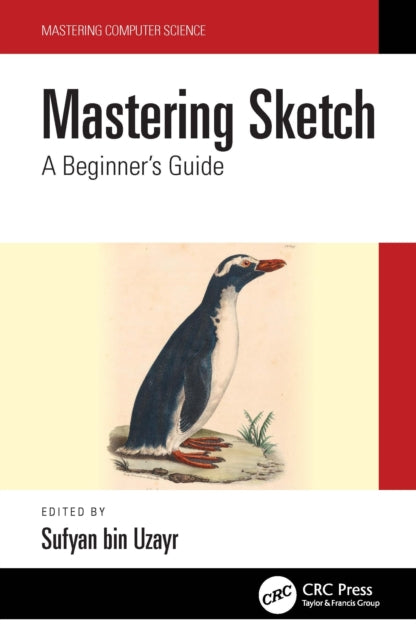
Mastering Sketch: A Beginner's Guide
Mastering Sketch: A Beginner's Guide
YOU SAVE £15.54
- Condition: Brand new
- UK Delivery times: Usually arrives within 2 - 3 working days
- UK Shipping: Fee starts at £3.89. Subject to product weight & dimension
Bulk ordering. Want 15 or more copies? Get a personalised quote and bigger discounts. Learn more about bulk orders.
Couldn't load pickup availability
- More about Mastering Sketch: A Beginner's Guide
This article covers the diverse Sketch extensions ecosystem, with special attention to both official and community plugins, assistants, and integrations. It offers a brief overview of every single plugin or integration released.
Format: Hardback
Length: 230 pages
Publication date: 08 April 2022
Publisher: Taylor & Francis Ltd
This extensive guide covers the diverse Sketch extensions ecosystem, with a special focus on both official and community plugins, assistants, and integrations. It provides a comprehensive overview of every single plugin or integration released for Sketch, offering valuable insights into their features, functionalities, and potential use cases. Whether you're a designer, developer, or simply looking to enhance your Sketch workflow, this guide is an invaluable resource that will help you unlock the full potential of this powerful design tool.
Sketch extensions are a powerful way to enhance the functionality of the design tool. They offer a wide range of features and functionalities that can help designers and developers work more efficiently and effectively. In this guide, we will explore the different types of Sketch extensions available, including official plugins, community plugins, assistants, and integrations.
Official plugins are developed by the Sketch team and are designed to work seamlessly with the design tool. They offer a wide range of features, including advanced typography, vector drawing, and animation tools. Official plugins are typically well-documented and easy to use.
Community plugins are developed by third-party developers and are available for free or for a fee. They offer a wide range of features and functionalities, including custom brushes, templates, and effects. Community plugins are often more specialized than official plugins and can be tailored to specific needs.
Assistants are software tools that help designers and developers automate their workflow. They can perform tasks such as saving time, reducing errors, and improving productivity. Assistants can be integrated with Sketch to provide a seamless experience.
Integrations are software tools that allow designers and developers to work with other design tools and software. They can be used to transfer data between Sketch and other design tools, such as Adobe Photoshop or Illustrator. Integrations can also be used to automate tasks such as file sharing and collaboration.
In this guide, we will provide a brief overview of every single plugin or integration released for Sketch. We will cover their features, functionalities, and potential use cases, so that you can decide which ones are right for you. We will also provide tips and tricks for using Sketch extensions, so that you can get the most out of them.
Whether you are a beginner or an experienced designer, this guide will help you unlock the full potential of Sketch extensions. So, let's get started and explore the world of Sketch extensions!
Weight: 264g
Dimension: 138 x 195 x 19 (mm)
ISBN-13: 9781032199528
UK and International shipping information
UK and International shipping information
We deliver throughout the United Kingdom and to 128 countries and territories worldwide, including the United States, Australia, Canada, Germany, Spain and France.